RTL++
Verilog in the browser, two simulators, and a debugger that tells you why a test failed.
2026
RTL++ is a browser workspace for digital logic. You write Verilog or SystemVerilog, run every test in two simulators, and build for iCE40 and ECP5 FPGAs.
- Role
- Product, design, and engineering
- When
- 2026
- Stack
- TypeScript, Verilog, WebAssembly, FPGA toolchains
- Links
- rtlpp.vercel.app
From failure to fix
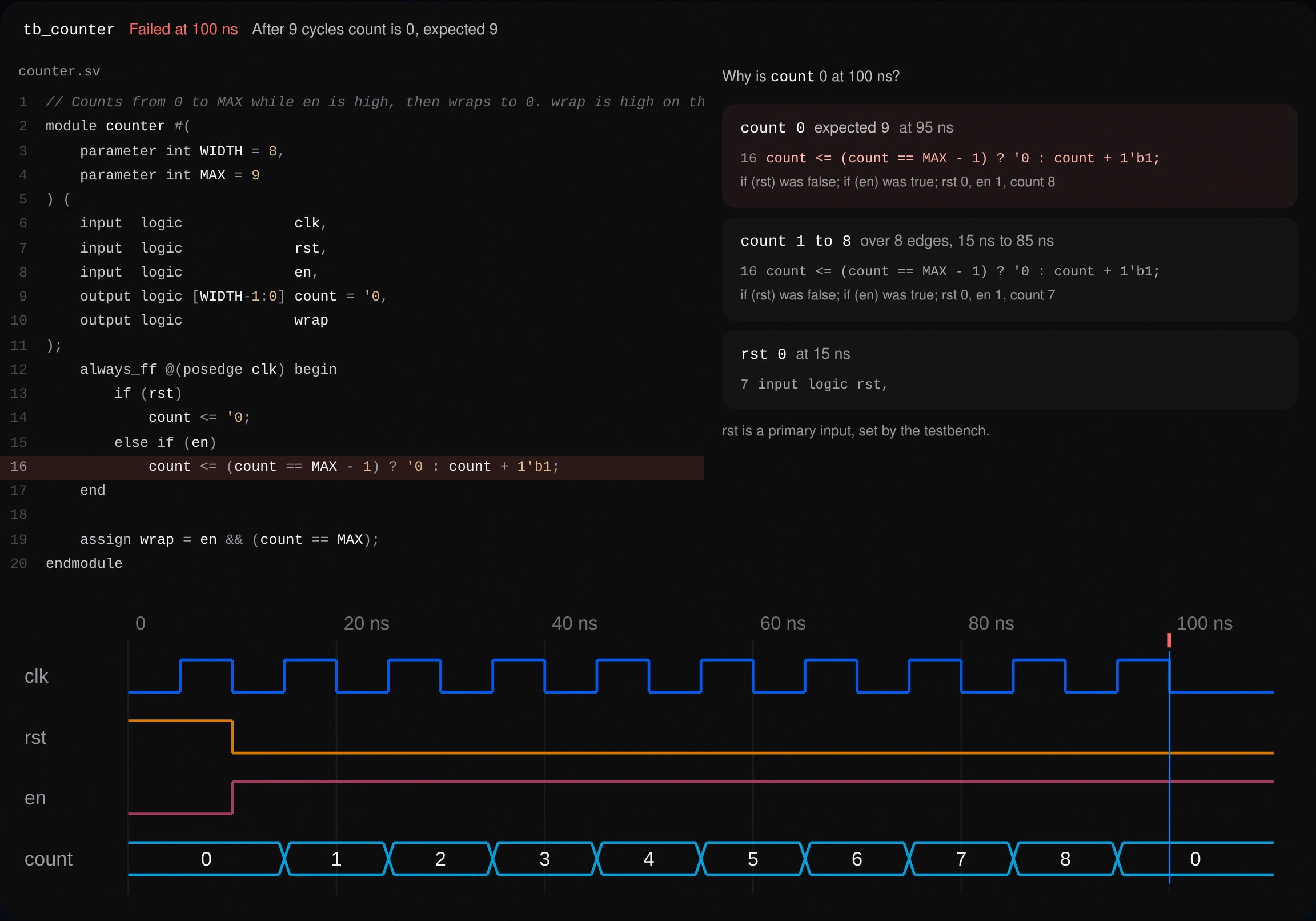
A test fails, RTL++ walks the wrong value back to the line that caused it, and the fix passes. Then the counter is yours to edit and run.
Why is count 0 at 100 ns?
count 0, expected 9, at 95 ns
Set by line 16, because count was 8 and 8 == MAX - 1.
count 1 to 8, over 8 edges
Line 16 on every edge from 15 ns to 85 ns, en high, rst low.
rst 0 at 15 ns
Line 7. A primary input, set by the testbench, so not the cause.
Fetching Icarus Verilog and checking every file against its pinned SHA-256
The problem
Hardware tools are heavy installs, and when a test fails they show a waveform and leave you to work out why.
The approach
When a test fails, RTL++ traces the wrong value back through the waveform to the line of code that set it, and shows each step of that chain next to the source.

AiroFind
Next project →

2026